
Have a Question?


24/7 Personal Safety with Real Nurse Response
One app for personal safety, real nurse support, and proactive health monitoring.


On desktop? Open the store link and send it to your phone.
Cancel anytime. No lock-in contracts
Fall + crash detection • Safety check-ins • Geofence alerts • Carer app • Health monitoring*
*Health monitoring available with Premium and a compatible smartwatch/device
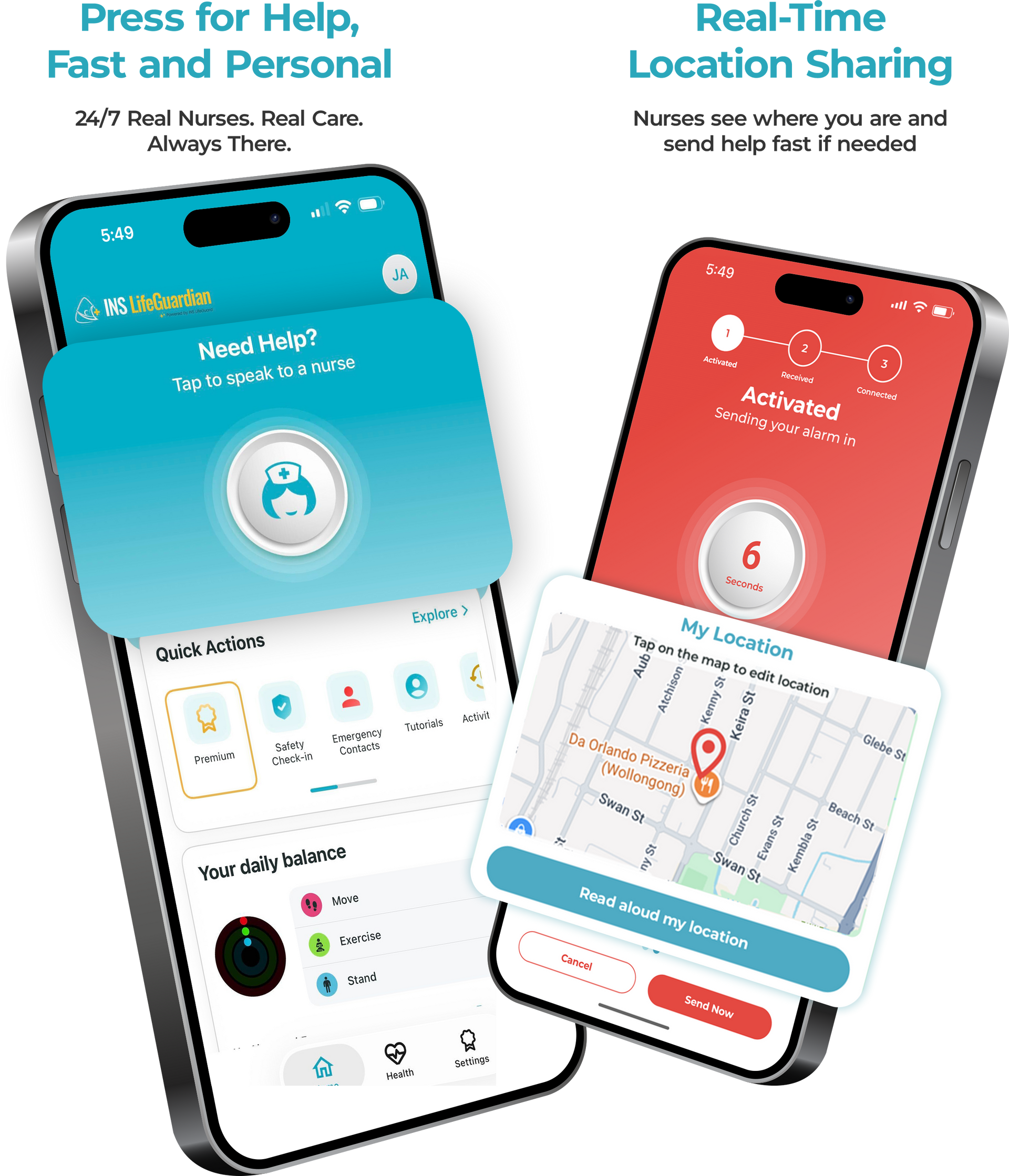
Real Nurses. Real Care. Always There.
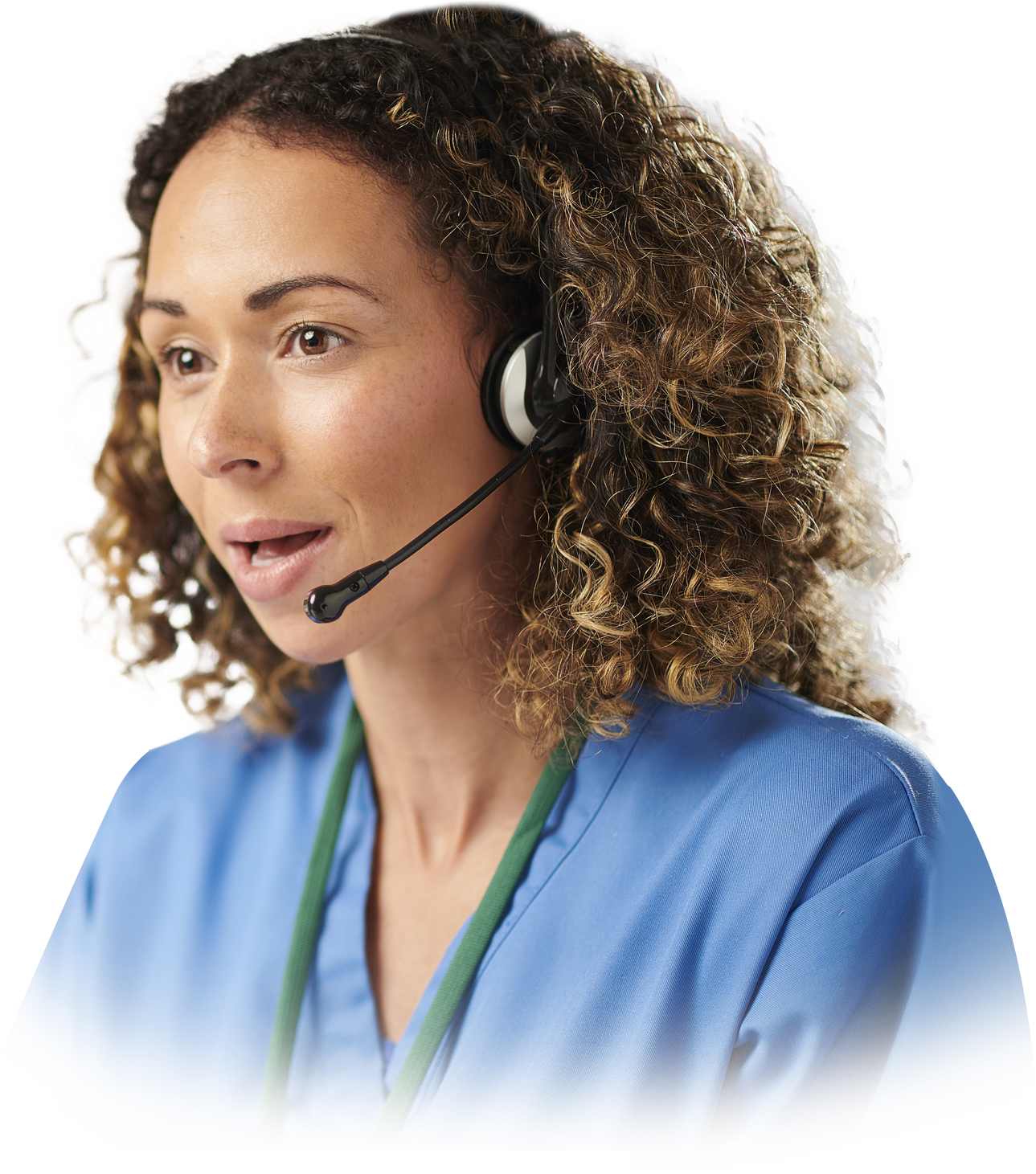
Unlike traditional alarms that route to a standard call centre, INS LifeGuardian® connects you to a nurse-led response team. If help is requested or a fall or crash is detected, a qualified nurse responds, checks well-being, and coordinates help quickly when needed.
Simple monthly subscriptions. Upgrade or switch plans anytime.
Smartphone Plan
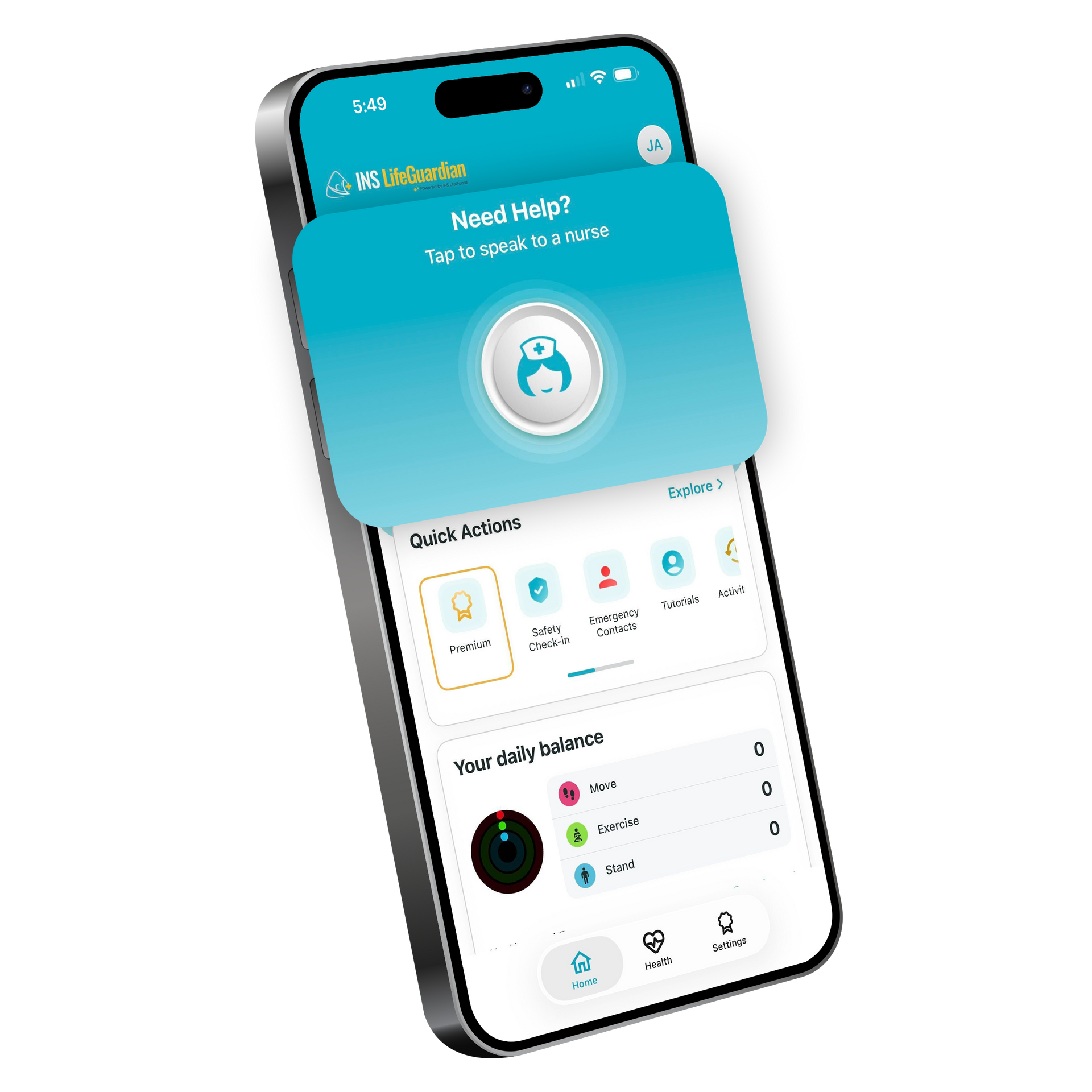
Essential $14.99/month
Nurse-monitored personal alarm using your smartphone
Includes:
- 24/7 Nurse-led emergency response
- Fall detection*
- Crash detection**
- GPS location support
- Safety check-ins + geofence alerts
- Optional compatible smartwatch pairing for alarm activation***
- Companion app for carers + family
- Medical info + nurse chat line
* Fall detection is available on Apple, and on Android it is currently available on compatible Samsung devices only.
** Crash detection is currently available on Apple only.
*** A compatible smartwatch can be paired for alarm activation, but is not required for Essential.
Smartphone + Smartwatch Plan
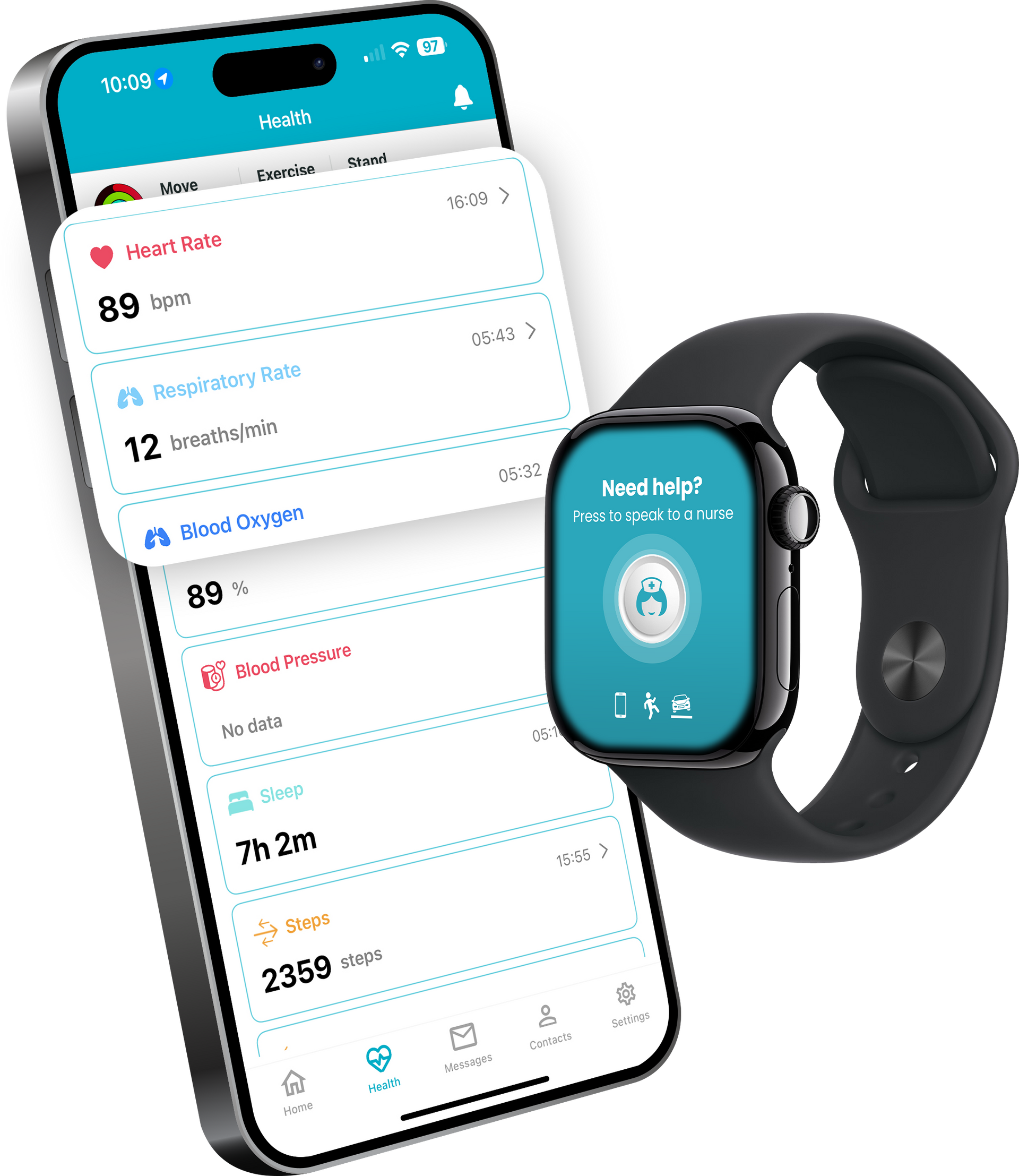
Premium $49.49/month
Everything in Essential, plus nurse-led health monitoring with a compatible smartwatch/device
Includes:
- Includes all Essential features
- Critical vital signs monitoring by registered nurses*
- Fall prevention (gait + steadiness monitoring)**
- Monthly or scheduled nursing reviews (optional)
- Detailed reports (if requested)
* Critical vital signs monitoring requires a compatible smartwatch/device.
** Fall prevention (gait + steadiness monitoring) is currently available on Apple only
How it Works?
Step 1
Press for help (or a fall/crash is detected)
Step 2
A qualified nurse responds immediately (two-way communication)
Step 3
We assess, triage, and coordinate support when needed
Additional Safety & Support Features:
- 24/7 nurse-led emergency response (not a standard call centre)
- Help button in-app for emergencies or reassurance
- Fall detection and crash detection
- GPS location support when needed
- Two-way communication with the response team
- Companion app for carers and family alerts
- Premium: nurse health monitoring via compatible smartwatch (Apple Watch / Wear OS)
- Optional monthly Registered Nurse check-in (Premium)
Contact INS LifeGuard
Our team can help you compare features to find the correct plan or device for your needs.
Free Companion App for Family & Carers
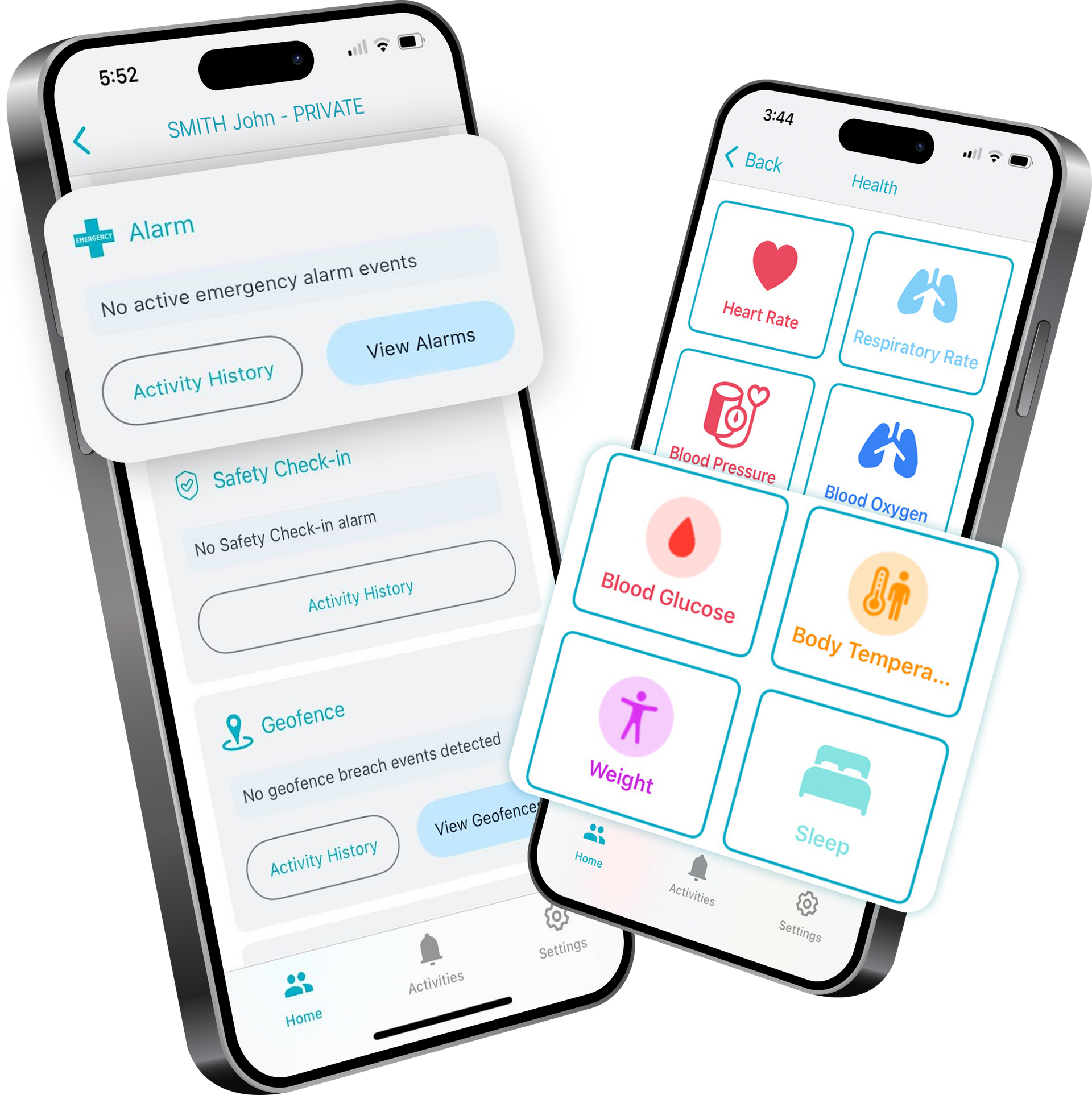
Family and carers can stay informed through the free INS LifeGuardian® Connect app, with alerts, location updates, and shared visibility when support is needed.
Real Stories, Real Impact
INS LifeGuard is the nurse-led team behind INS LifeGuardian® here’s what clients and carers say about the support.
More Client Feedback

I wanted to express my heartfelt thanks to Bev and Taliah for their wonderful service and quick action the other night when my wife needed an ambulance. I was truly impressed with the level of care and professionalism they provided.
— Tony K.
My daughter and I want to extend our sincere thanks to Belinda and Tim for their help overnight. The continuous callbacks to check on me were so comforting. They were both wonderful, and I am deeply grateful for their kindness.
— Beryl G.
I want to thank everyone at INS for their assistance when my blood pressure dropped to 70 and I eventually needed several blood transfusions in the hospital. I'm not sure what would have happened if I hadn’t been wearing my pendant. I’m incredibly grateful for the service.
— Mr. B.
I would like to thank and praise Rosie who looked after 2 calls for ambulances on Tuesday evening with me. Rosie definitely went above and beyond with her help, not only for the two residents but for me, who has no medical background!
— Angela, Village Manager
I recently had a friend who was assisted by INS LifeGuard, and I just wanted to express my appreciation for the service they provided. The questions they asked were spot-on, and the kindness they showed was both relevant and reassuring.
— Marilyn
I wanted to thank Kristie for her assistance this morning when I required an ambulance. They arrived promptly, and after experiencing a bout of vertigo, I’m already home and feeling much better. I’m very thankful for the care I received.
— Noeline E
I want to thank John for his quick action in calling 000 when my grandson was in shock after losing his grandfather. I’m truly grateful for his patience and understanding during such a difficult time.
— Mrs. Lynette P
I want to express my heartfelt thanks to Ben W for the help he provided in June when my husband was unwell. I’m happy to share that my husband is now home and recovering well.
— Ms. Laurie M
I am very grateful to Abbey for the help she provided when I had a fall in June. Her support was truly appreciated.
— Elizabeth M
I want to say a BIG THANK YOU to Robyn for saving my life recently when I had a stroke.
— Mrs. Pamela B
I want to express my gratitude to INS for their speedy response and for the help of their nurse, who was most caring and arranged for an ambulance to convey me to the hospital, where I received the appropriate attention.
— Mr. Tom W
I called to thank Rosie and the staff for calling an ambulance for my neighbor, Sally, when she fell. She is currently in the hospital and, unfortunately, broke her arm.
— Maree
I want to thank the INS nurses for their quick action in getting me an ambulance in April. I underwent major surgery and spent three weeks in the hospital.
— Mr. David G
I want to express my deepest gratitude to Nurse Belinda, who was there for me when I urgently needed an ambulance. Having this system in my home feels like having another person living with me—I no longer feel alone.
— Mrs. Morton
I want to express my heartfelt thanks to Robyn for the assistance she provided me the night before last when I needed the ambulance. I was extremely impressed with the nurse, the INS service, and the quick response time of the ambulance.
– Yvonne L.
I called to personally thank Roz for her help when I needed an ambulance. Your support was invaluable, and I’m truly grateful.
— Mrs. Jeannie A.
I want to extend my heartfelt thanks to Tim for assisting me recently with my faulty smoke detector. Your help was much appreciated.
— Mrs. Cook
I want to express my deep gratitude for all the support given to my mother over the last two years. A special thank you to Shay for being there during a very distressing time—it meant the world to me.
— Wonita
A big thank you to Ben W for your assistance the other morning. I truly appreciated how you kept me updated on what was happening during the three hours I was on the floor. Your support made a challenging time much easier.
– Bill H
I wanted to extend my heartfelt thanks to Kristie and Shay for their promptness and care yesterday. Your quick response and attention to detail made all the difference. Thank you so much!
– Mr. S and Mrs. P
I want to thank John for helping me with my alarm last week when I was short of breath. I was transported to the hospital, where it was determined I had blood clots in my lungs. I feel very lucky to be alive, and I’m deeply thankful to all the INS staff who assisted me.
– Mrs. Long
I want to express my deep gratitude to Ceara for calling the ambulance for my wife. Your quick thinking and excellent service made all the difference, and I cannot thank you enough.
— Allan T
I would like to sincerely thank you for your service. It has saved my mother several times after falls at home while she was alone. Knowing that she had help if she needed it gave us great peace of mind.
Hi Kimberley, I just want to say how much I appreciate your professionalism, care, and kindness since our first communication yesterday. You've been an absolute blessing, and I’m so thankful for how attentive and helpful you’ve been. I’m really looking forward to getting this installed for Dad.
— Natalie S.
Huge thank you to Roz. I didn’t think I needed the alarm, but after using it twice now for falls, I’m very grateful.
— Robert M.
Thank you so much, INS, for helping my husband last week when he was suffering from bad neuralgia. Your support meant the world to us, and we are very grateful.
— Mrs. Leonie R.
Thanks to the INS staff for all the wonderful and caring work over the years since I have been in the village.
— Jillian
I just wanted to take a moment to thank INS for all the assistance they've provided me over the years. Your help has been truly appreciated.
— Judith B., Campbelltown
I recently spoke with Ben M and was incredibly impressed by his politeness and knowledge about the equipment. I want to wish everyone at your company happiness and love during Christmas and the New Year. You are all lifesavers!
— Mr. Hanna
I want to express my extreme happiness with INS and how they collaborated with emergency services to ensure a quick and pleasant outcome when I needed an ambulance on Saturday. I’m especially grateful to Ben W. for his care and efficiency—he’s wonderful!
— Mrs. Barbara H.
I want to express my appreciation for the consistent and caring support I received from INS. Beverley and Shay responded promptly to my specific actions on file and even checked in with me to ensure I was okay. Thank you both for your dedication!
— Vanessa R.
I would like to express my appreciation of the service supplied by INS.The questions they asked and the kindness they expressed were very relevant and assuring.
— Marilyn
I want to thank Lisa for her assistance while I was shivering on the floor waiting for the ambulance. She kept me sane while I was waiting.
— Mrs. Connie H.
Sandra and I wanted to express our appreciation for the great service and efforts from George when Sandra was unwell recently. Great job, George!
— Bruce
Thank you for always being there and the friendly service you have always given [Mum]!
— Gwen R
Thank you for the INS LifeGuard for my husband to use when I had to go out for an appointment sometimes, knowing he would be able to use the pendant if needed.
— Carole H
I want to extend my deepest gratitude to Julie for the wonderful job she did when we had to call an ambulance for my husband last month.
— Mrs. Fox
I wanted to thank Karen for the assistance she provided with my father overnight.
— Sam
Thank you, INS, for taking such good care of my dad during his time of distress when he was struggling to breathe and feeling scared. Your help meant the world to us.
— Charles’ Daughter
Awesome, thanks for your great customer service, Ash! You really helped me out with a resident’s device, and I appreciate it.
— Robyn
I want to thank Kristie, Ben W, and Shay at INS for the thoughtful way they handled the alarm when my Mum needed help the other night. Your care and communication meant so much to us.
— A Client's Daughter
I’d like to extend my gratitude to Ceara and Shay for the care they showed my mother last week after her fall. Their assistance meant the world to us.
— Mrs. Kathleen’s daughter

Funding Options May Be Available
INS LifeGuardian® may be funded through
NDIS,
DVA, and
Support at Home, depending on eligibility. We’re a Registered NDIS Provider, Support at Home referrals may be available for eligible users, and INS LifeGuard is also available through the DVA RAP program
INS LifeGuardian® App
Frequently Asked Questions
What Is INS LifeGuardian®?
What Is INS LifeGuardian®?
INS LifeGuardian® is a personal safety and health app that connects you to real nurses 24/7 for emergency response. You can trigger an alarm manually from your phone or smartwatch, use supported hands-free activation, or rely on automatic detection for falls or severe car crashes on supported devices. Premium adds nurse-led health monitoring using compatible smartwatch and device data.
Devices & Compatibility
What Phone Do I Need?
You’ll need a compatible iPhone or Android smartphone to download and use INS LifeGuardian®.
Minimum requirements
- iPhone: iOS 15 or later
- Android: Android 11 or later
If you aren’t sure what version you have:
- iPhone: Settings → General → About (or Software Update)
- Android: Settings → About phone (or Software update)
Note: Your phone must support the App Store (iPhone) or Google Play (Android) to download INS LifeGuardian®.
Do I Need A Smartwatch?
No. The Essential plan works using your smartphone. A compatible smartwatch can also be paired for manual alarm triggering, but it is not required for Essential.
A smartwatch is required for Premium health monitoring features that rely on compatible watch or device data.
Smartwatch Compatibility (Premium)
Premium health monitoring works with compatible Apple Watch and supported Wear OS smartwatches, such as Samsung Galaxy Watch models running Wear OS.
Apple Watch
- Requires watchOS 10.1+
- Requires an iPhone 8 or later running iOS 16+
- Your iPhone acts as the bridge between your Apple Watch and INS LifeGuardian®
Wear OS / Samsung Galaxy Watch
- Requires Wear OS 2+ (for example, Samsung Galaxy Watch 4 and newer)
- Requires a compatible Android phone
- Android 11+ is required
Can I Trigger An Alarm From My Wrist?
Yes. If you have a compatible smartwatch, you can trigger an alarm from your wrist. Your phone acts as the bridge that connects your watch to INS LifeGuardian®’s nurse-led response service.
Can I Activate The Alarm Hands-Free?
Yes. On iPhone, you can set a custom Siri phrase, such as “Hey Siri, send help,” to trigger an alarm if you can’t press the help button.
Android voice activation is coming soon.
Emergency Response
What Happens When An Alarm Is Triggered?
A qualified nurse responds, speaks with you through INS LifeGuardian®, checks your wellbeing, and coordinates help quickly when needed. If you can’t respond, we can follow your nominated response plan and contact emergency services or nominated contacts as required.
Can I Press The Button For Reassurance, Not Just Emergencies?
Yes. You can trigger an alarm for emergency help or reassurance. Our nurse-led team is available 24/7.
Does INS LifeGuardian® Require Internet Or Mobile Coverage?
Yes. INS LifeGuardian® requires connectivity to send alarms and support two-way communication.
Detection & Location
Fall Detection: How Does It Work?
INS LifeGuardian® supports fall detection on Apple iPhone using the Apple Watch. On Android, fall detection is currently available only when paired with a compatible Samsung Watch. If a fall is detected, an alert can be triggered so our nurse-led team can respond.
Does Fall Detection Work On All Watches?
No. Fall detection availability varies by watch model and setup.
- Apple: available on supported iPhone and Apple Watch devices
- Android: currently available on supported Samsung watches paired with a compatible Android phone
If you’re unsure what your device supports, contact us and we’ll help confirm compatibility.
What Is Crash Detection?
Crash Detection is currently available on Apple devices. Supported iPhone and Apple Watch models can detect severe car crashes and trigger an alarm in INS LifeGuardian®. Our team can then contact you and coordinate help to the crash location, even if you are unable to respond.
What Is GPS Locator?
When an INS LifeGuardian® alarm is triggered, the user’s GPS location is automatically sent with the alarm to help provide precise location information to support services if needed.
Safety Tools For Carers, Families & Lone Workers
What Are Safety Check-Ins?
Safety Check-Ins let you set check-in timers for added safety, such as remote work, site departures, or evening walks. If a check-in is missed, an alert can trigger so someone can check on you and send help if required.
What Are Geofence Alerts?
Geofence lets you set a virtual boundary around a location, such as home or a neighbourhood. If the wearer crosses this boundary, alerts can be sent to family or caregivers through the INS LifeGuardian® Connect companion app. This can be especially helpful for people at risk of wandering.
Are Silent Alarms Available?
Not currently. Silent alarms are in development and are intended to allow a discreet alert to be sent to INS LifeGuard without an audible alarm nearby.
Plans & Subscriptions
What Plans Are Available?
INS LifeGuardian® offers two monthly plans with no lock-in contracts.
Essential
- $14.99/month standalone
- $9.99/month with an additional device
Premium
- $49.49/month standalone
- $29.99/month with an additional device
Subscriptions renew monthly unless cancelled in your account settings.
What’s Included In The Free Version?
The Free version provides app access for users who download and log in, and is primarily suited to participating Villages or users updating client information. It also includes:
- one free push alert
- notifications and evacuation alerts
- user information management / privacy controls
What’s Included In The Essential Plan?
Essential includes:
- 24/7 personal alarm monitoring and nurse-led emergency response
- manual alarm trigger from phone
- manual alarm trigger from a compatible smartwatch
- two-way voice communication
- GPS locator when an alarm is triggered
- fall detection on supported devices
- crash detection on supported Apple devices
- safety check-ins
- geofence alerts
- companion app access through INS LifeGuardian® Connect
- medical information and nurse chat line
What Does Premium Add?
Premium includes everything in Essential, plus nurse-led health monitoring supported by compatible smartwatch and device data. Depending on the device, Premium may include:
- critical vital signs monitoring
- heart rate monitoring
- ECG and atrial fibrillation detection
- blood oxygen (SpO2) monitoring
- respiratory rate monitoring
- blood pressure monitoring via supported third-party devices
- blood glucose monitoring on Apple via supported third-party devices
- fall prevention monitoring (gait and steadiness)
- monthly or scheduled nursing reviews
- detailed reporting if requested and consented
Feature availability varies by device.
Are Subscriptions Locked In?
No. Cancel anytime. There are no lock-in contracts. Subscriptions renew monthly unless cancelled in your account settings.
How Do I Cancel My Subscription?
You can cancel anytime in your App Store or Google Play account settings.
iPhone (App Store):
Settings → Apple ID → Subscriptions → INS LifeGuardian® → Cancel Subscription
Android (Google Play):
Google Play → Profile → Payments & subscriptions → Subscriptions → INS LifeGuardian® → Cancel subscription
If you subscribed directly through INS LifeGuard, please contact our team to arrange cancellation of your subscription.
Health Monitoring (Premium)
What Vital Signs Or Health Data Can Be Monitored?
INS LifeGuardian® can use health data collected by compatible Apple Watch, supported Wear OS smartwatches, and supported third-party devices to support nurse-led monitoring.
Depending on the device, supported data may include:
- heart rate
- blood oxygen (SpO2)
- respiratory rate
- ECG and atrial fibrillation detection
- blood pressure via supported third-party devices
- blood glucose on Apple via supported third-party devices
Some features are device-specific.
Note: Blood oxygen monitoring is not available on Pixel Watch.
What Happens If There’s A Critical Health Event?
For certain critical events, such as irregular heart rhythms or sustained abnormal rates, an alarm can be triggered and a nurse may contact you to assess the situation and arrange emergency services if necessary.
Please note: Prolonged heart rate and irregular heart rhythm alerts are currently available on Apple devices only.
Critical-event features vary by device and watch.
Are All Health Monitoring Features The Same On Every Device?
No. Some health monitoring features vary depending on the smartwatch and device. For example, some threshold-based alerts may be Apple-only, and some features may require third-party devices that are supported.
Nursing Reviews & Reports (Premium)
What Are Nursing Reviews?
If selected, one of our Registered Nurses can review your health data monthly or on a scheduled basis, discuss your vital signs, physical and mental well-being, and support a proactive care plan. This is optional and can be tailored to your preferences.
Can I Get A Health Report?
Yes. If requested and with your consent, INS can generate a detailed report that can be shared with your GP, specialist, care provider, employer, or directly with you.
Companion App, Portals & Permissions
What Is INS LifeGuardian® Connect?
INS LifeGuardian® Connect is the free companion app for family and caregivers. It helps them stay informed with alerts and updates, and supports features such as geofence notifications when enabled.
What Are The Web Portals / Manager’s Portal?
When enabled, secure portals can support care managers, employers, or retirement villages in managing welfare checks, viewing reports, configuring certain settings, and coordinating response procedures.
Can I Control What Information Others Can See?
Yes. You can choose to give someone access to your information; they will be able to view and update your information in full.
Concierge (Independent Living Providers)
What Is Concierge Service?
Concierge service is designed for independent living providers. It allows providers to configure preferred contractors and service providers, so residents can be directed to approved options when requesting support. Some concierge-related services may incur additional fees.
Funding
Can INS LifeGuardian® Be Funded?
Funding may be available through NDIS, Support at Home, and DVA RAP, depending on eligibility.
We are a Registered NDIS Provider.
Support at Home referrals may be available under safety and clinical supports.
INS LifeGuardian® is also available through the DVA Rehabilitation Appliances Program (RAP).
Support at Home referrals: select Personal Emergency Alarm System (ISO 222906) when completing the referral or care plan.
Still Have Questions?
Speak with our team about plans, compatibility, or funding options.